145-Day Live CourseOnline & Offline • Madhapur, Hyderabad

Become a Generative AI Developer

Are You Aiming for 7+ LPA? A High-Demand Role in Today's Industry

Build end-to-end AI applications, work on real-world projects, and get job-ready for top product and GCC companies — from AI basics to LLMs, RAG, AI agents and deployment.

145 DaysCourse Duration
6 ProjectsReal-World GenAI Builds
Only 27Students per Batch
5+ InterviewsGuarantee
  1. Build Job-Ready
    Skills
  2. Create a Strong
    Portfolio
  3. Crack
    Interviews
  4. Get Placed in
    Top Companies

Tools you'll use

The tools behind modern GenAI

You learn these alongside the topics, and every project uses them.

  • PythonProgramming
  • JupyterNotebooks
  • PandasData Analysis
  • NumPyNumerical Computing
  • TensorFlowDeep Learning
  • PyTorchDeep Learning
  • Hugging FaceModel Hub
  • LangChainLLM Framework
  • Vector DatabasesRAG
  • Stable DiffusionImage Generation
  • AutoGen & CrewAIAI Agents
  • StreamlitAI Web Apps
  • GradioAI Demos
  • FastAPIBackend APIs
  • FlaskWeb Framework
  • DockerContainers
  • GitHubVersion Control
  • AWS / GCPCloud Deployment

Why CodeBegun

Not a coaching institute. A software environment.

You learn the way engineering teams work: build, get reviewed, improve, ship.

End-to-End Development

Go from AI basics and Python to deployed GenAI applications in one structured path.

  • Python
  • Machine Learning
  • Deep Learning
  • LLMs
  • RAG
  • AI Agents
  • Multimodal AI
  • Deployment
145days, 10 modules,
one structured path

Real-World Projects

Build six industry-style GenAI projects, from a chatbot to RAG systems and AI agents.

Industry Mentors

Learn from working engineers who review your code and guide your projects.

Placement Support

Resume and LinkedIn help, referrals, mock interviews and a 60+ company network.

Placement Prep from Day 1

Interview preparation runs alongside the course, not only at the end.

Batch size27students per class

Small batches, personal attention

Every class is capped at 27 students, so mentors know your progress, review your code and answer your doubts in the session itself.

  • Doubts cleared in class
  • 1:1 code reviews
  • Progress tracked weekly
CURRICULUM

145 Days: From AI basics to a deployed capstone

Ten modules — machine learning, deep learning, LLMs, prompt engineering, RAG, AI agents and multimodal AI — finishing with deployment, career preparation and your final project.

  • Hands-on Every DayCode, test and build in each module
  • Expert MentorsReviews and guidance from engineers
  • Deploy Real AppsStreamlit, FastAPI, Docker and cloud
  • Job-Ready PortfolioSix projects and a deployed capstone
  1. 01AI Foundations
  2. 02Machine Learning
  3. 03Deep Learning
  4. 04GenAI Models & Tools
  5. 05Prompt Engineering
  6. 06Multimodal GenAI
  7. 07GenAI Projects
  8. 08Deployment & MLOps
  9. 09Career Preparation
  10. 10Final Project
Download full syllabus
  1. Module 1: AI Foundations

    Start from zero and understand what AI is, how it evolved and where Generative AI fits. Set up Python, data libraries and Jupyter.

    Days 1–15

    Introduction to AI

    • What is AI? Applications
    • History & Evolution of AI
    • Types of AI (ML, DL, GenAI)
    • Generative AI Overview
    • LLMs and How They Work

    Prompts, Ethics & Python for AI

    • Prompt Engineering Basics
    • AI Ethics & Responsible AI
    • Data and AI
    • Python for AI
    • Libraries (NumPy, Pandas)

    Data Handling & ToolsData Preprocessing · Data Visualization · Intro to Jupyter Notebook · AI Tools & Platforms · Module Review & Quiz

  2. Module 2: Machine Learning Essentials

    Learn the machine learning workflow and the core algorithms behind modern AI. Train, evaluate and tune models.

    Days 16–30

    ML Workflow & Learning Types

    • ML Overview & Workflow
    • Supervised Learning
    • Unsupervised Learning
    • Model Evaluation Metrics
    • Linear Regression

    Core ML Algorithms

    • Logistic Regression
    • Decision Trees
    • Random Forest
    • K-Means Clustering
    • Feature Engineering

    Tuning, Validation & PracticeHyperparameter Tuning · Cross-Validation · ML Projects (Basics) · Model Deployment Basics · Review & Practice

  3. Module 3: Deep Learning with Neural Networks

    Understand how neural networks learn and build them with TensorFlow and Keras, from perceptrons to CNNs, RNNs and transfer learning.

    Days 31–45

    Neural Network Foundations

    • Neural Networks Basics
    • Perceptron & Layers
    • Activation Functions
    • Loss Functions
    • Gradient Descent

    Building Deep Networks

    • Backpropagation
    • TensorFlow & Keras
    • Building DNNs
    • CNNs for Images
    • RNNs for Sequences

    Advanced ArchitecturesLSTMs & GRUs · Transfer Learning · Model Optimization · DL Projects · Review & Quiz

  4. Module 4: Generative AI Models & Tools

    Learn how LLMs and Transformers work, use Hugging Face and LangChain, and build retrieval apps with vector databases and AI agents.

    Days 46–60

    Generative AI Landscape

    • Generative AI Landscape
    • LLMs and Transformers
    • How ChatGPT Works
    • Hugging Face Basics
    • Working with Pretrained Models

    Text Generation & LangChain

    • Text Generation
    • Summarization & Q&A
    • Text Embeddings
    • LangChain Basics
    • Prompt Chaining

    RAG, Multimodal AI & AgentsRAG Concepts · Vector Databases · Multimodal AI (Text, Image) · AI Agents · Review & Hands-on Practice

  5. Module 5: Prompt Engineering & LLM Applications

    Master effective prompts and turn LLMs into useful applications with advanced prompting, function calling and chatbots.

    Days 61–75

    Prompt Engineering Strategies

    • Prompt Engineering Strategies
    • Zero-shot & Few-shot Learning
    • Chain-of-Thought Prompting
    • Role-Based Prompting
    • Prompt Templates

    Advanced Prompting & Use Cases

    • Advanced Prompt Techniques
    • Function Calling
    • AI for Content Creation
    • AI for Code Generation
    • AI for Data Analysis

    LLM ApplicationsAI for Business · Building Chatbots · Practical LLM Projects · Ethics & Safety in AI · Review & Quiz

  6. Module 6: Multimodal & Advanced GenAI

    Go beyond text with image, video, audio and speech generation. Orchestrate agents with AutoGen and CrewAI.

    Days 76–90

    Image, Video & Audio Generation

    • Image Generation (DALL-E)
    • Image Editing (Stable Diffusion)
    • Video Generation (Sora/Runway)
    • Audio Generation (MusicGen)
    • Speech-to-Text & TTS

    Multimodal Apps & Agents

    • Multimodal Models
    • Build a Multimodal App
    • LLM Chains & Agents
    • AutoGen & CrewAI
    • AI for Healthcare

    Industry Use Cases & OptimizationAI for Finance · AI for Education · Large Context Handling · Performance Optimization · Module Review

  7. Module 7: GenAI Projects

    Build real GenAI applications you can show recruiters, ending with a portfolio project and its deployment.

    Days 91–105

    Chat, Documents & Code

    • AI-Powered Chatbot
    • Resume Analyzer
    • Document Q&A System
    • Code Explainer
    • Content Summarizer

    Creative & Assistant Apps

    • Image Generator App
    • Sentiment Analyzer
    • AI Study Buddy
    • Personal Assistant
    • Travel Planner

    Portfolio ProjectSmart Research Tool · Business Idea Generator · Portfolio Project · Project Deployment · Review & Feedback

  8. Module 8: Deployment & MLOps Basics

    Take AI apps live with Streamlit, Gradio, Flask and FastAPI, deploy with Docker and the cloud, and learn MLOps habits.

    Days 106–120

    Serving AI Applications

    • Model Deployment Overview
    • Streamlit Basics
    • Gradio Basics
    • Flask for AI Apps
    • FastAPI

    Deployment & MLOps

    • Deploy on Hugging Face Spaces
    • Docker Basics
    • CI/CD for AI
    • MLOps Concepts
    • Model Monitoring

    Scaling & SecurityModel Versioning · Scalable AI Systems · Cloud Deployment (AWS/GCP) · Security Best Practices · Review & Practice

  9. Module 9: Career Preparation

    Polish your resume, LinkedIn and GitHub portfolio, and practise technical interviews, coding rounds and system design for GenAI roles.

    Days 121–135

    Resume, Profile & Portfolio

    • Resume for GenAI Roles
    • LinkedIn Optimization
    • Git & GitHub for AI Projects
    • Portfolio Building
    • Technical Interview Prep

    Interview Practice

    • Common GenAI Questions
    • Live Coding Practice
    • Case Study Discussions
    • System Design for AI
    • Soft Skills & Communication

    Mock Interviews & StrategyMock Interviews · Resume Review · Interview Feedback · Final Practice Round · Career Strategy & Wrap-Up

  10. Module 10: Final Project & Innovation

    Build your capstone GenAI project from idea to demo, document and present it, and leave with a clear plan for your next steps.

    Days 136–145

    Plan & Build

    • Define a Real-World Problem
    • Plan Your GenAI Solution
    • Build the Core Features
    • Integrate Advanced Features
    • Test & Improve

    Demo, Document & Present

    • Prepare Project Demo
    • Create Documentation
    • Final Presentation
    • Share on GitHub/Portfolio
    • Course Wrap-Up & Next Steps

6 real-world projects

Build things you can demo in an interview

Each project is planned, built, tested, deployed and published on GitHub.

AI-Powered Chatbot

A conversational chatbot powered by an LLM, with prompt design, conversation memory and a clean Streamlit chat interface.

  • Python
  • LLM API
  • LangChain

Resume Analyzer

Reads a resume and a job description, scores the match, finds keyword gaps and writes clear improvement suggestions.

  • Python
  • NLP
  • LLM

Document Q&A System

Answers questions over your own documents with Retrieval-Augmented Generation, returning grounded answers with sources.

  • RAG
  • Vector DB
  • LangChain

Code Explainer

Explains code line by line, finds bugs and suggests fixes across multiple languages, deployed online with Gradio.

  • Python
  • LLM
  • Gradio

Image Generator App

Turns text descriptions into images with style, size and negative-prompt controls, image-to-image editing and a gallery.

  • Stable Diffusion
  • Python
  • Streamlit

AI Study Buddy

A study assistant that summarises topics, creates quizzes and answers doubts, using an agent that picks the right tool.

  • LLM
  • Agents
  • FastAPI

CodeBegun LMS

One platform for everything you practise

Class recordings, coding practice, AI help and interview prep in one place, so nothing gets lost between sessions.

  • AI Communication LabImprove English speaking, communication skills and confidence through AI-powered practice.
  • Thinking LabDevelop logical thinking, analytical abilities and problem-solving skills.
  • Code PlaygroundWrite, execute and practise programming in an integrated coding environment.
  • AI MentorGet AI-powered learning assistance and technical concept guidance.
  • Class Videos & ResourcesAccess recorded classes and learning materials to revisit lessons anytime.
  • Mock InterviewsPractise real interview rounds with expert feedback and build confidence.
  • Resume BuilderCreate professional resumes for job applications.
  • Interview Question BooksRevise with question books covering Python, ML, LLMs, GenAI and more.

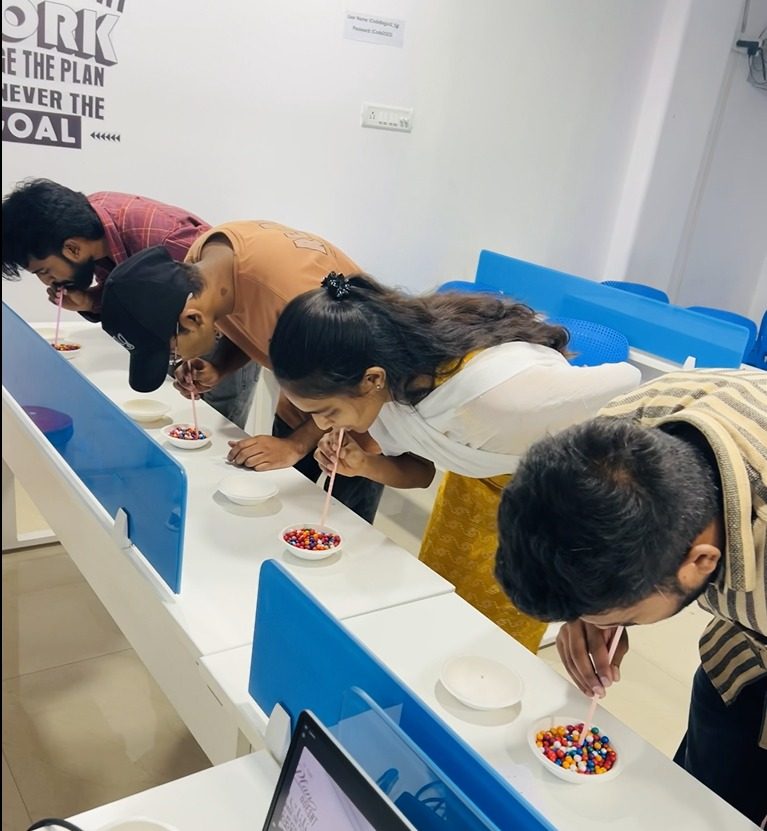
Life at CodeBegun

Your CodeBegun Experience

Learn together. Play together. Grow together.

CodeBegun students playing a cricket match on a ground
Let's Join the Experience

Placement support

From beginner on Day 1 to professional on Day 145

Placement preparation starts on Day 1 and grows with you at every stage of the course.

  1. Day 1Stage 1/5

    Beginner

    Starting from zero

    • Skill check and career goal setting
    • Python and AI foundations
  2. Day 30Stage 2/5

    Learner

    Writing real code

    • Machine learning hands-on
    • Resume and LinkedIn set up
  3. Day 75Stage 3/5

    Builder

    Shipping GenAI apps

    • LLM, RAG and agent projects
    • GitHub portfolio reviews
  4. Day 120Stage 4/5

    Interview-ready

    Practising like the real thing

    • Technical, system design and HR mock interviews
    • Feedback after every round
  5. Day 145Stage 5/5

    Professional

    Ready for your first AI role

    • Placement cell referrals
    • 60+ hiring companies, 5+ interviews guarantee
5+interviews guarantee
60+hiring companies
Day 1placement prep begins
Start Your Journey

FAQ

Questions, answered

Anything else? Our counsellors reply on WhatsApp.

What will I learn in the Generative AI course at CodeBegun?

At CodeBegun, you will learn how to build intelligent applications using Artificial Intelligence, Machine Learning, Deep Learning, Generative AI, Large Language Models (LLMs), Prompt Engineering, Retrieval-Augmented Generation (RAG), AI Agents, and Multimodal AI. The course starts with AI fundamentals and Python programming and gradually progresses to advanced AI application development, deployment, and real-world use cases.

Is this Generative AI course suitable for beginners? Do I need prior AI knowledge?

Yes. The course starts with AI foundations, Python fundamentals, and basic concepts of Machine Learning, making it suitable for learners who are new to Artificial Intelligence. It is designed for students, fresh graduates, aspiring developers, and working professionals who want to develop practical Generative AI skills. Prior Generative AI knowledge is not required.

Which technologies, tools, and frameworks will I learn during the course?

You will gain practical exposure to Python, TensorFlow, Keras, PyTorch, Hugging Face, LangChain, Streamlit, Gradio, Flask, FastAPI, and Vector Databases. You will also work with LLM APIs, Prompt Engineering, RAG, AI Agent frameworks such as AutoGen and CrewAI, Docker, and cloud deployment technologies to develop and deploy AI-powered applications.

What real-world projects will I build during the Generative AI course?

You will build 6 real-world Generative AI projects to apply your learning, including:

  • AI-Powered Chatbot – Build an intelligent chatbot using LLM APIs and LangChain.
  • Resume Analyzer – Analyse resumes and compare skills with job descriptions.
  • Document Q&A System – Build a document-based question-answering application using RAG.
  • Code Explainer – Create an AI application that explains code and suggests improvements.
  • Image Generator App – Generate and edit images using Generative AI.
  • AI Study Buddy – Develop an intelligent study assistant that summarises topics, creates quizzes, and answers questions.

You will also complete a final capstone project, deploy your applications, and showcase your work through GitHub and your project portfolio.

What is the duration of the course, and how is the training conducted?

The Generative AI course has a duration of 145 days and is available in both online and offline training modes. The program includes structured learning modules, practical coding exercises, project development, technical assessments, and mentor guidance. You will also get access to the CodeBegun LMS platform, which includes class videos, coding practice, AI Mentor, Communication Lab, Thinking Lab, Mock Interviews, and interview preparation resources.

What career opportunities and placement support can I expect after completing this course?

After developing the required skills and completing the projects, you can explore career opportunities such as Generative AI Developer, AI Engineer, LLM Application Developer, AI Application Developer, and Junior AI Engineer. CodeBegun provides resume preparation, LinkedIn profile guidance, GitHub portfolio development, technical interview preparation, mock interviews, and placement assistance. The brochure also mentions a network of 60+ hiring companies and 5+ interview opportunities, subject to the applicable placement policy, eligibility, and hiring requirements. Final selection depends on your skills and employer evaluation.

Ready to build your first AI app?

  1. 1
    Get free counsellingTalk to our team about the batch that fits your schedule.
  2. 2
    Talk to a mentorReview the roadmap and choose online or offline delivery.
  3. 3
    Apply and startBegin with developer fundamentals on Day 1.
Chat with us